
Essential Cleaning Tips for Office Electronics and Devices
In today’s tech-driven workplaces, our office equipment works just as hard as we do. But without proper care and routine cleaning, devices like keyboards, printers, and monitors can become magnets for dust, grime, and germs, compromising both hygiene and performance. As commercial cleaning professionals in NYC, we’ve seen how a few overlooked smudges can turn into costly issues. In this guide, we’ll share practical tips to help your team maintain clean, functional equipment while supporting a healthier, more efficient work environment.
Power Down Before You Wipe Down
Before cleaning any electronic device, it’s essential to turn it off, and if possible, unplug it. This isn’t just about safety, it’s about effectiveness.
Wiping down a powered-on screen can cause smearing and static buildup, making the cleaning less effective. More importantly, active devices are vulnerable to moisture damage, even from small amounts of liquid or condensation on a cloth. Turning equipment off eliminates those risks and gives surfaces a chance to cool, especially for high-use devices like printers, copiers, or desktop monitors.
We recommend including this step in your custodial checklist, particularly when servicing shared workstations or tech-heavy environments like design studios, media rooms, or IT departments. It’s a small habit that protects both people and hardware, something we emphasize in every commercial cleaning engagement we perform.
Need a Reliable Cleaning Partner in NYC? We deliver consistent, professional commercial cleaning supported by trained in-house staff and clear communication. If you’re looking for a service that respects your space, your schedule, and your operational flow, we’re here to help.

Use the Right Tools
Cleaning electronics requires more than just grabbing the nearest rag or paper towel. In fact, the wrong material can scratch surfaces, leave lint behind, or push dirt deeper into vents and seams. That’s why we always use the appropriate tools for the job, and we recommend our clients do the same.
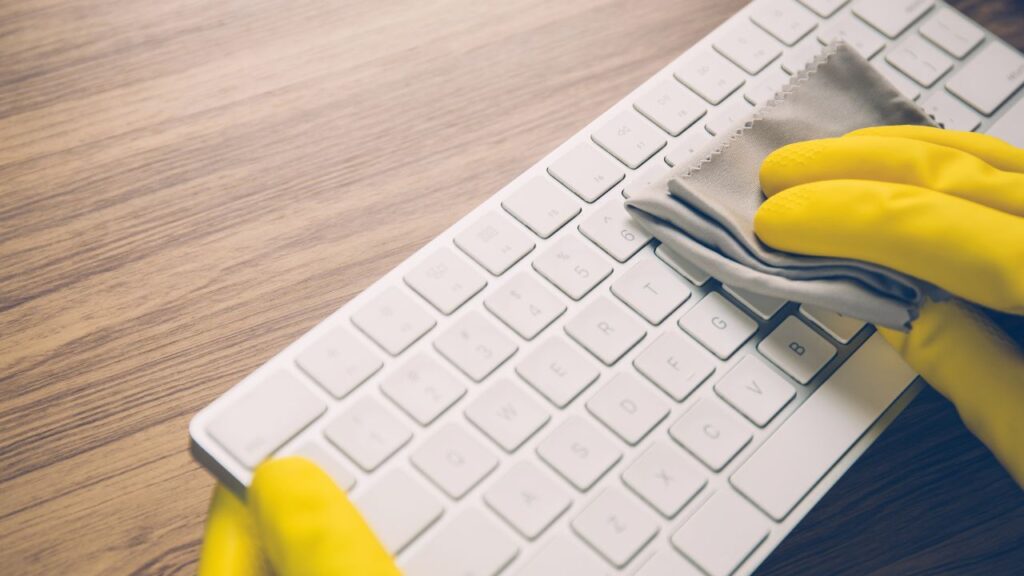
For screens, touchpads, and glossy finishes, microfiber cloths are essential. They’re soft, non-abrasive, and trap dust instead of spreading it around. For more stubborn grime, slightly dampening the cloth with isopropyl alcohol (at least 70%) works well to disinfect without leaving residue or harming components.
Compressed air is also useful for cleaning out keyboards and device ports where dust and crumbs can accumulate. And when dealing with sensitive equipment, avoid spray bottles entirely, liquid should never be applied directly to a device.
By using proper tools, we minimize risk and maximize hygiene, a practice that sets professional cleaning apart from rushed, improvised efforts. Every tool we choose is designed to preserve the lifespan and performance of your workplace technology.

Focus on High-Touch Electronics First
Not all office equipment sees the same level of use, and not all devices pose the same hygiene risks. That’s why we prioritize high-touch electronics in our cleaning protocols. These are the items most frequently handled throughout the day, making them hotspots for bacteria, viruses, and visible grime.
Keyboards, mice, shared tablets, touchscreens, phones, and card readers are just a few examples. In many offices, these are touched by multiple people across shifts or departments, increasing the risk of cross-contamination.
Our team targets these devices with disinfectant wipes or alcohol-based cleansers that are safe for electronics. We ensure proper contact time to effectively sanitize without damaging surfaces. For facility managers, we recommend incorporating high-touch device sanitizing into your daily or weekly routine, especially in environments with shared workstations, client interactions, or high employee turnover.
Prioritizing these devices doesn’t just support hygiene, it reflects professionalism and care for your team’s well-being.
Don’t Forget Vents and Ports
While screens and keyboards get most of the attention, the less visible parts of your devices, like vents, fans, and ports — are just as important to clean. Dust and debris can silently accumulate inside these areas, causing overheating, reduced performance, and even equipment failure over time.
We often see offices where the exterior of the printer or desktop looks spotless, but the air vents are clogged with months of buildup. That’s a recipe for avoidable service calls and early hardware replacement.
To address this, we use soft-bristle brushes and compressed air to remove dust from vents and fans, always taking care not to push debris deeper into the device. USB and power ports also need attention, especially in environments with heavy foot traffic or construction dust.
Regularly inspecting and cleaning these areas helps keep devices running efficiently and reduces long-term maintenance costs. For IT teams and facility managers alike, this type of preventive care can make a measurable difference in performance and equipment lifespan.

Schedule Routine Cleaning
Reactive cleaning may fix the immediate mess, but it doesn’t protect your office equipment in the long run. Relying on emergency wipes after spills or during flu season won’t prevent the steady buildup of dust, oils, and microbes that silently affect performance and hygiene over time.
That’s why we advocate for scheduled, consistent equipment cleaning as part of every facility’s maintenance plan. Whether it’s weekly sanitizing of keyboards or monthly attention to printers and shared screens, routine service ensures no device gets overlooked.
At Busy Bee, we integrate electronics care into broader janitorial routines, aligning cleaning frequency with usage patterns. A design firm with shared editing bays may need more frequent screen and keyboard disinfection than a private office suite. Understanding these differences helps us tailor solutions that work for each business model.
Routine cleaning supports operational continuity, prevents downtime, and shows your team that workplace wellness isn’t just a statement, it’s a standard.

Watch for Warning Signs of Dirt Damage
Many electronic issues start small, sluggish performance, overheating, unresponsive buttons and often, the root cause is dirt. Unfortunately, these early warning signs are easy to miss until the equipment fails altogether.
Sticky keys may mean residue buildup. Blurry screens might be from smudges or dust on sensors. Loud fans can indicate clogged vents struggling to cool the system. If your team begins reporting these issues regularly, it’s time to assess whether cleaning routines are up to par.
As professionals, we’re trained to spot these subtle signs during routine cleaning. We document equipment conditions and alert clients when we notice patterns that could lead to failures or disruptions. That proactive approach gives businesses time to clean, repair, or replace before downtime becomes costly.
We recommend facility managers train staff to flag small issues early and make equipment checkups part of custodial oversight. Clean devices don’t just look better, they perform better and last longer, too.
Partner with Professionals for Deeper Tech Cleaning
While day-to-day wiping and dusting can be handled in-house, many workspaces benefit from periodic deep cleaning by trained professionals. Office electronics, especially in shared or high-traffic environments, require specialized care that goes beyond basic surface cleaning.
At Busy Bee, we’re equipped to clean sensitive equipment without risking damage. We use the correct products, tools, and techniques for each type of device, whether it’s gently disinfecting touchscreens or using compressed air to clean server racks and copiers. We also follow strict checklists that align with each client’s equipment setup and workplace policies.
Professional cleaning isn’t just about doing the job right, it’s about doing it safely, discreetly, and with minimal disruption to your operations. Our teams are trained to work after-hours or during low-traffic periods, so your staff can return to sanitized, functional equipment without even noticing we were there.
Partnering with a commercial cleaning provider ensures consistency, extends the life of your electronics, and lets your in-house team focus on what they do best.

Conclusion: Cleaner Equipment, Healthier Workplace
Clean office electronics are more than a matter of appearance, they’re essential to a productive, safe, and smoothly operating work environment. Whether it’s wiping down high-touch devices, keeping vents free of dust, or scheduling professional cleanings, every step contributes to longer-lasting equipment and a healthier team.
At Busy Bee, we treat office technology as a critical part of our cleaning strategy. From routine disinfection to deep-cleaning electronics in tech-heavy spaces, we help businesses in New York City reduce downtime, prevent costly repairs, and maintain high standards of hygiene.
Let’s Plan Your Clean
Free Quote
We’ll call you, assess your space, and give you a clear estimate.
Learn how we get real results.